


For the visual learner, having instant access to an html element’s styles is a powerful way to ease the learning curve of CSS. The powerful extension, CSS Scan, has a ton of features that benefit the CSS student, and its powerful functionality helps advanced pros, too.
Available for all browsers as an extension or addon

Quick Jump Links
The Problem: Inspect Element’s needle in a haystack
A Visual Learning Breakthrough
Barrier to Learning Removed
Fastest way to find all CSS styles for an element
Fastest way to copy element’s CSS styles to your clipboard
Fastest way to see LIVE updates when you modify a style
CSS Scan paves the way to learning CSS Frameworks faster
The Problem: Inspect Element’s Needle in a Haystack

For the CSS student, Inspect Element is often like searching for a needle in a haystack. Multiple clicks yield a ton of jibberish that needs to be manually vetted and combed through, looking for that one, elusive style that’s affecting the element in question. This adds a time-consuming, painful climb to the CSS learning curve and pushes competency further along the timeline.
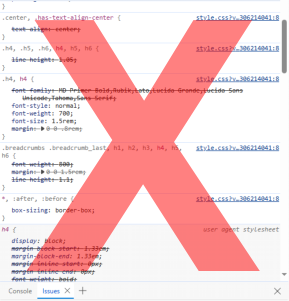

For the CSS beginner, finding the relevant styles grouped by a class / id — properties of an element — in a css listing is challenging but absolutely VITAL to professional development.
Learning CSS is done by studying styles on web pages you find interesting. So, instead of punching through Inspect Element and searching through myriad lists across different files, CSS Scan lets you simply click on an element to get the styles and then click again to copy to the clipboard. A HUGE TIMESAVER.

Barrier to Learning Removed
When you find that it takes minimal effort to learn how others accomplish their CSS styles — without the painful process normally associated with “inspecting” an element — you’ll learn far more, far faster! Your productivity will soar with study and education. Analyzing styles becomes second nature when you’re not facing obstacles in the learning process.
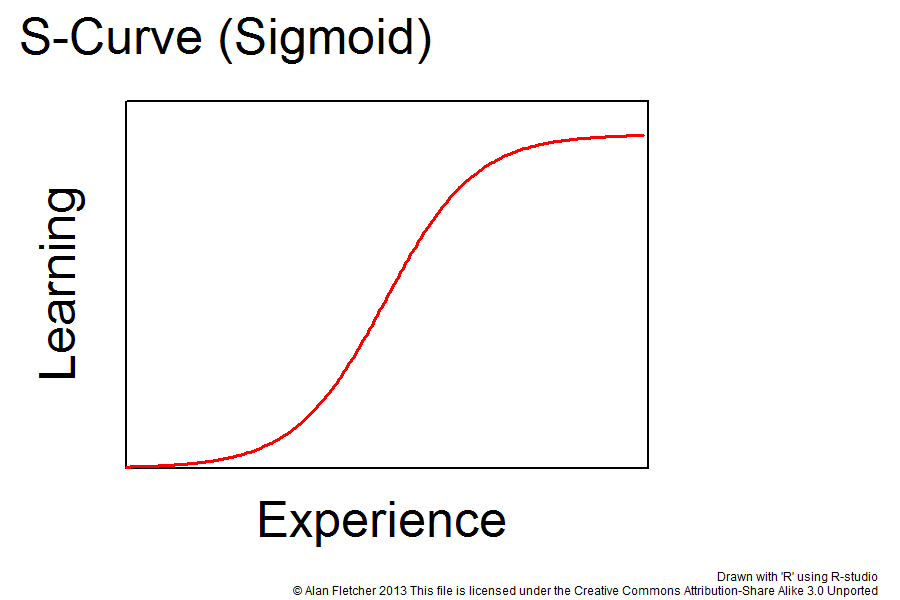
The “climb” of the S-curve determines how much experience (read: time!) is required to learn a topic. The more vertical the line, the less time / experience it takes to learn something.
The visual learning magic of CSS Scan overcomes a major learning barrier by removing the curtain that hides CSS styles.
Fastest Way to Find All CSS Styles for an Element
CSS Scan lets you bypass class and id names and directly find their associated styles.

Click on the icon in the command area, then hover your cursor over any element on the page to see a pop-up reveal. Presto — you’ve found the needle in the haystack — all the applicable styles / properties in one pop-up.
Great for exploring rocking sites like TheVerge.com or ANY WordPress site where there are literally a bazillion obscure classes and properties at play on any element at any given time.
Fastest Way to Copy Element’s CSS Styles to Clipboard
Once you’ve clicked on the element, you can click again to instantly copy the CSS styles to your clipboard.
That list of styles CSS Scan just displayed for you can be instantly copied to your clipboard. Just click again and it’s done — you’re now ready to paste that clean list of styles to any location.

When you think about ALL the steps it would take to accomplish this feat manually, you begin to understand the awesome power of CSS Scan.
Pros, CSS students, HTML coders — there’s a hat full of features for any coder doing front-end design work. CSS Scan truly is the fastest way to copy an element’s CSS styles to your clipboard.
Fastest Way to See Updates When You Modify a Style
Anyone who’s ever traveled through the myriad pathways of “Inspect Element” can attest to the fact that simply editing a style can be a herculean task. First, you have to find the style. Next, you have to verify that that is the style that’s acting on the element. Next, you may actually find a way to start typing in the style window of [your browser of choice]’s Inspect Element rigging, without hopping around or ending up on another site. In 16 years of trying various typing tricks, I have yet to find one that works consistently or with any degree of efficacy. MAJOR DISCONNECT.
Once you’ve located the targeted element, just hit your space bar and you go into editing mode.

CSS Scan Eases the Learning Curve for CSS Frameworks
Bootstrap, Tailwind. And others. Each framework has a different nomenclature, naming style, etc.
When hidden CSS styles become visible and instantly available, you’re now learning classes, naming processes, procedures and other framework-specific rules much faster.
CSS Scan eases the learning curve of CSS and puts power in a single click.
Recent Comments